


Blog 
Top Commercial Smart Locks for Global Buyers?
Choosing commercial smart locks for global projects is not simply a matter of comparing prices or mobile applications. Buyers must examine door materials, traffic levels, network reliability, credential management, and maintenance support. A lock installed on a busy hotel entrance faces different pressures from one serving a warehouse or office corridor.
Chris E. McGoey, a longtime security consultant, offers a useful reminder: “Security is a process, not a product.” That principle matters here. A strong commercial smart locks program should include controlled user permissions, audit records, emergency access procedures, battery monitoring, and regular software updates. Convenience is valuable. Resilience matters more.
Look closely at the details.
A fingerprint reader may perform poorly with wet hands. A wireless lock may struggle inside thick concrete walls. Cloud management can simplify administration, yet it also creates dependence on connectivity and vendor support. These weaknesses are easy to overlook during a showroom demonstration.
Global buyers should also review regional data practices, product certifications, installation requirements, warranty terms, and service availability before signing a purchase agreement. Requirements differ across markets, buildings, and industries. No single lock fits every property.
The best choice is rarely the most advanced model. It is the system that users can operate correctly, managers can monitor confidently, and technicians can repair without delay. That sounds obvious, but projects still fail through rushed installation and unclear ownership. A careful evaluation should test real doors, real workflows, and realistic failure conditions. The following guide compares leading options through that practical lens.
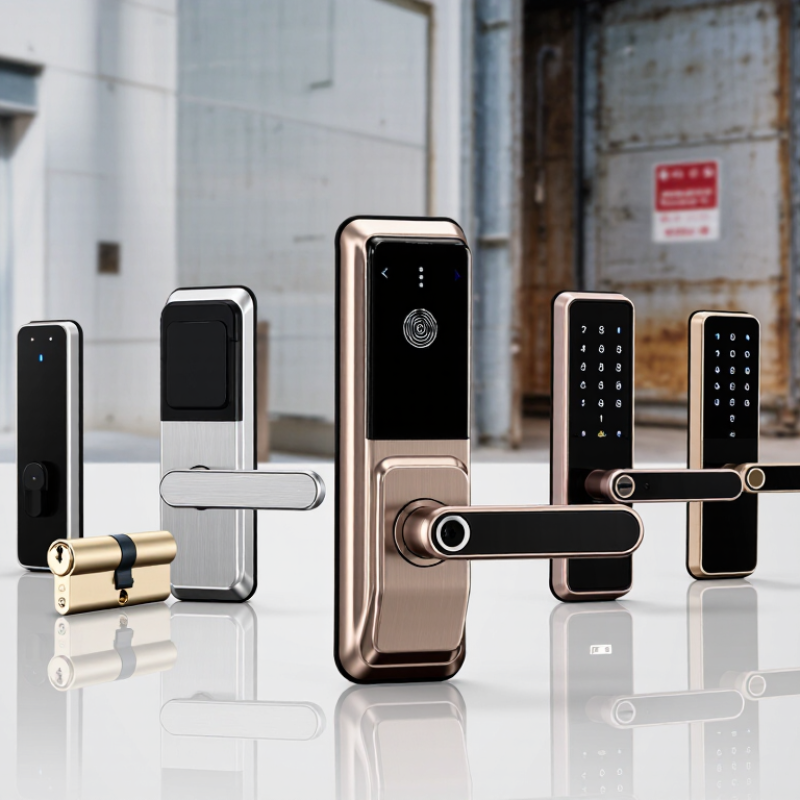
What Are Commercial Smart Locks and How Do They Work?
What Are Commercial Smart Locks and How Do They Work?
Commercial smart locks are electronic access devices designed for offices, warehouses, hotels, schools, and managed buildings. They replace or support traditional keys with digital credentials, including PINs, cards, mobile apps, or biometric verification. MarketsandMarkets projects the global smart lock market will grow from about $2.2 billion in 2023 to $4.4 billion by 2028. This growth reflects stronger demand for controlled access and digital records.
A typical lock contains a credential reader, control board, motor, battery, and communication module. After verification, the system releases the latch or turns the locking cylinder. Some models connect through Bluetooth, Wi-Fi, Zigbee, or wired building networks. Managers can create time limits, remove lost credentials, and review entry logs remotely. NIST guidance on digital identity stresses authentication, secure credential management, and regular system monitoring. Those principles matter in busy commercial spaces.
The hardware is not magic.
During installation, door alignment and battery condition often cause more failures than software. A heavy fire door may not close fully, leaving a smart lock unable to engage. Power loss also requires planning. Battery backup, mechanical override procedures, and fail-safe or fail-secure settings should match the building’s safety requirements. A 2024 report from Grand View Research identifies security, convenience, and remote monitoring as major smart-lock growth factors. Still, remote control can create new risks if accounts use weak passwords or outdated firmware. In practice, a reliable system needs testing, staff training, and periodic access reviews. That practical work is easy to underestimate.
Top Commercial Smart Locks for Global Buyers? - What Are Commercial Smart Locks and How Do They Work?
A practical comparison of commercial smart-lock categories, operating methods, specifications, and purchasing considerations
| Lock Category | What It Is | How It Works | Typical Commercial Specifications and Buyer Considerations |
|---|---|---|---|
| Electronic Cylindrical Lock | A door-handle lock that replaces or upgrades a conventional cylindrical lockset with electronic access control. | An authorized credential activates a motor or clutch inside the lock. The handle then retracts the latch. Unauthorized credentials leave the handle disengaged. | Common credentials include PIN codes, RFID cards, mobile credentials, or mechanical keys. Suitable for offices, classrooms, and staff entrances. Check door thickness, latch dimensions, handing, fire-door requirements, and local certification rules. |
| Electronic Mortise Lock | A smart lock built around a mortise case installed inside the door edge, often providing latch and deadbolt functions in one unit. | The access controller verifies the credential and drives the mortise mechanism to unlock or relock the door. Some models support automatic relocking and passage modes. | Offers a neat, integrated appearance and strong suitability for hotels, apartments, offices, and institutional buildings. Verify mortise-case dimensions, door preparation, emergency egress, and compatibility with the existing strike plate. |
| Electronic Exit Device | A panic bar or push bar fitted with electronic access-control functions for commercial exit doors. | The inside push bar normally permits free exit. A reader, keypad, or remote controller manages entry from the secure side while the exit function remains available during an emergency. | Frequently used in schools, warehouses, retail premises, and public buildings. Confirm door width, fire-exit regulations, alarm interfaces, fail-safe or fail-secure requirements, and accessibility obligations. |
| Wireless Lever or Knob Lock | A battery-powered electronic lock with a lever or knob, designed for doors where wired access control is difficult or expensive. | The lock stores access permissions locally or receives them through a wireless gateway. A valid credential releases the internal clutch or motor for a programmed period. | Installation is generally less disruptive than wired systems. Typical battery life depends on traffic, wireless use, temperature, and battery quality. Select models with low-battery alerts, mechanical override options, and a defined emergency power procedure. |
| Keypad Smart Lock | A commercial lock that uses a numeric PIN instead of, or in addition to, a physical key or card. | The user enters a stored PIN. The controller checks the code locally or through a management platform and unlocks the door when the code is valid and active. | Useful for temporary staff, contractors, shared rooms, and serviced accommodation. Look for unique user codes, time schedules, failed-attempt limits, anti-tamper alarms, and options to disable lost or expired codes. |
| RFID or NFC Card Lock | An electronic lock that reads contactless cards, key fobs, or compatible near-field credentials. | The reader detects the credential and compares its identifier with authorized records. The lock opens when the credential is valid and closes according to the configured relocking policy. | Common in hotels, offices, dormitories, and multi-tenant buildings. Confirm credential frequency, encryption capability, card-management workflow, read range, reader placement, and compatibility with the selected access-control platform. |
| Mobile-Credential Lock | A smart lock that allows an authorized smartphone to function as a digital key. | The phone communicates with the lock through Bluetooth, NFC, or a gateway-supported connection. The system validates the digital credential and records the access event. | Supports remote issuance and revocation of credentials. Buyers should check mobile operating-system support, offline operation, guest-access controls, privacy practices, battery impact, and what happens if a phone is lost or unavailable. |
| Networked Wireless Lock | A lock connected to a building-management or access-control system through a wireless hub, gateway, or mesh network. | The lock communicates with the gateway using a short-range wireless protocol. The gateway transfers permissions, schedules, and event records between the lock and a central management platform. | Reduces cabling for retrofit projects and enables centralized administration. Evaluate network range, interference, gateway density, encryption, firmware-update procedures, offline behavior, and total infrastructure cost. |
| Wired Online Access Lock | A permanently powered lock connected to an access-control panel or building network. | The access controller receives credential data, applies permissions in real time, and operates the lock relay. Events can be transmitted immediately to a central system. | Appropriate for high-traffic entrances and sites requiring real-time monitoring. Consider cable routes, power-supply capacity, backup power, network security, door-position sensors, request-to-exit devices, and installation labor. |
| Biometric Commercial Lock | A lock that verifies a physical characteristic, such as a fingerprint or facial feature, for access authorization. | A sensor captures the biometric input and compares it with an enrolled template. If the match meets the configured threshold, the lock releases. | Can reduce the need for cards or PINs but requires careful privacy, consent, data-retention, and local-law management. Assess performance with gloves, moisture, lighting, user accessibility, spoof resistance, and fallback credentials. |
| Hybrid Smart Lock | A commercial lock combining two or more methods, such as card, PIN, mobile credential, remote management, and mechanical key override. | The controller accepts one or more configured credentials and applies rules such as dual authentication, time schedules, temporary access, or emergency override. | Provides operational flexibility for mixed user groups and backup access. Compare the full cost of software licenses, gateways, credentials, maintenance, training, integration, and future replacement parts before purchasing. |
Global purchasing note: Actual performance depends on door construction, climate, usage frequency, installation quality, local fire and accessibility regulations, power conditions, network availability, and the selected access-management software. Always confirm certification, warranty coverage, spare-parts availability, and technical support in the destination market.